
Side project
Virtual staging and CRM
Perchestate
Virtual staging and a client desk for real estate agents and photographers: furnish or empty a room photo, review every image, and hand the client a finished package
Who it's for: Real estate agents and photographers who show listings with photos and want empty rooms to look lived in.
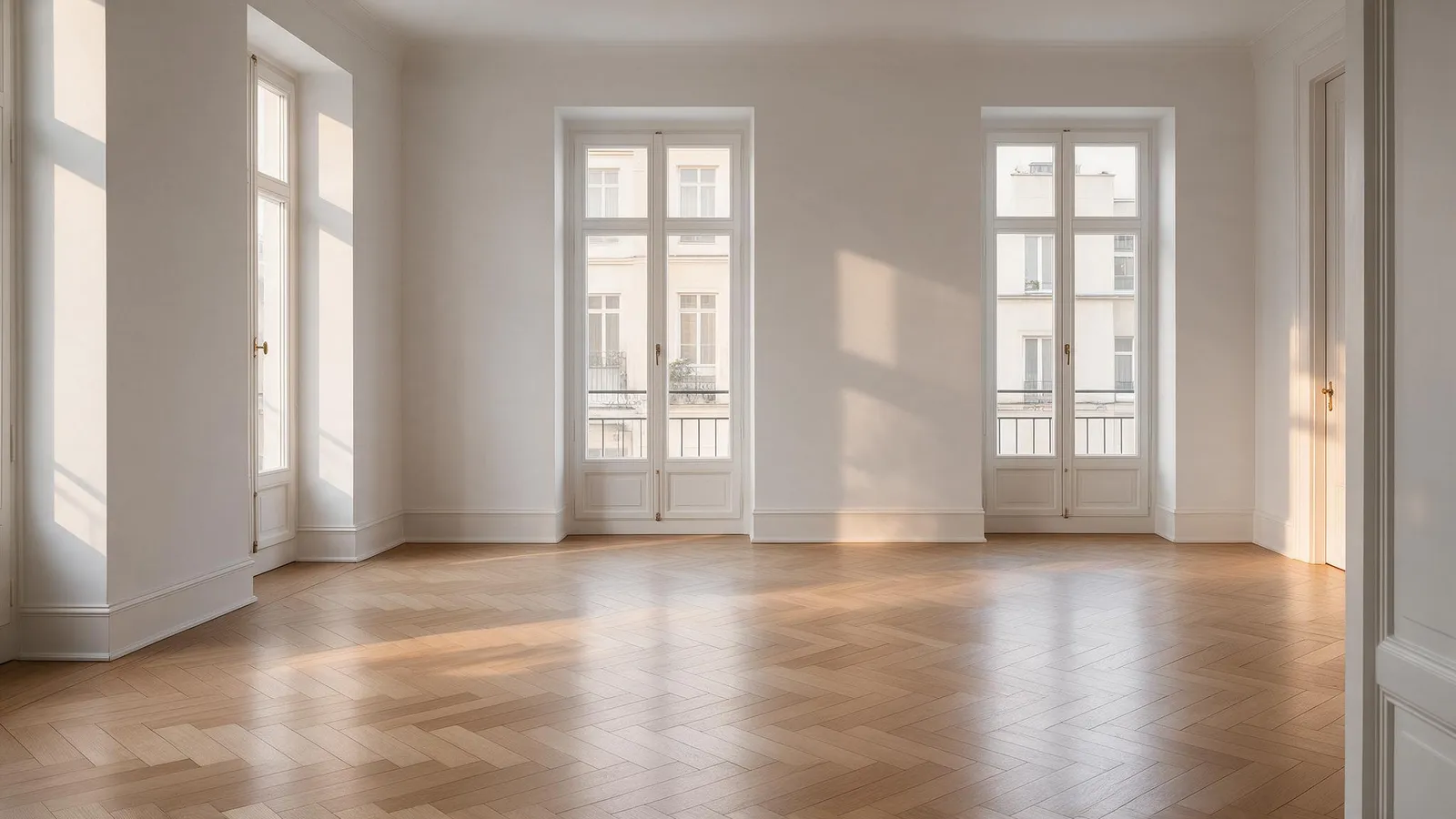
 OriginalFurnished
- furnishing styles
- 16
- variants per job
- 4
- in the trash before it is gone
- 30 days
- languages in the interface
- 2
What Perchestate does
Staging
Furnish empty rooms
Choose one of 16 styles or add your own, set the elements per room type, and get up to four variants per job.
Empty cluttered rooms
Clear a furnished photo. The job starts only when the engine reports edge and mask protection for it.
Place people in the room
Set position, size, pose, clothing and mood, or start from a scene preset. The room itself stays the original photo.
Review and delivery
Review center
Look at every finished image, approve or reject it, or reject a whole selection with one shared reason.
Client package
A ZIP with a gallery, before and after, and the AI label burned into the image. Pick all variants, the originals, or images only.
Ready for delivery
A four-point checklist computed from the state of the property: every room has a photo, all images are approved, labeling is complete, rights are confirmed.
Agency work
Client CRM
Clients with phase, tags, notes, tasks, and activity. CSV import and export, and a calendar for appointments.
Quotes and invoices
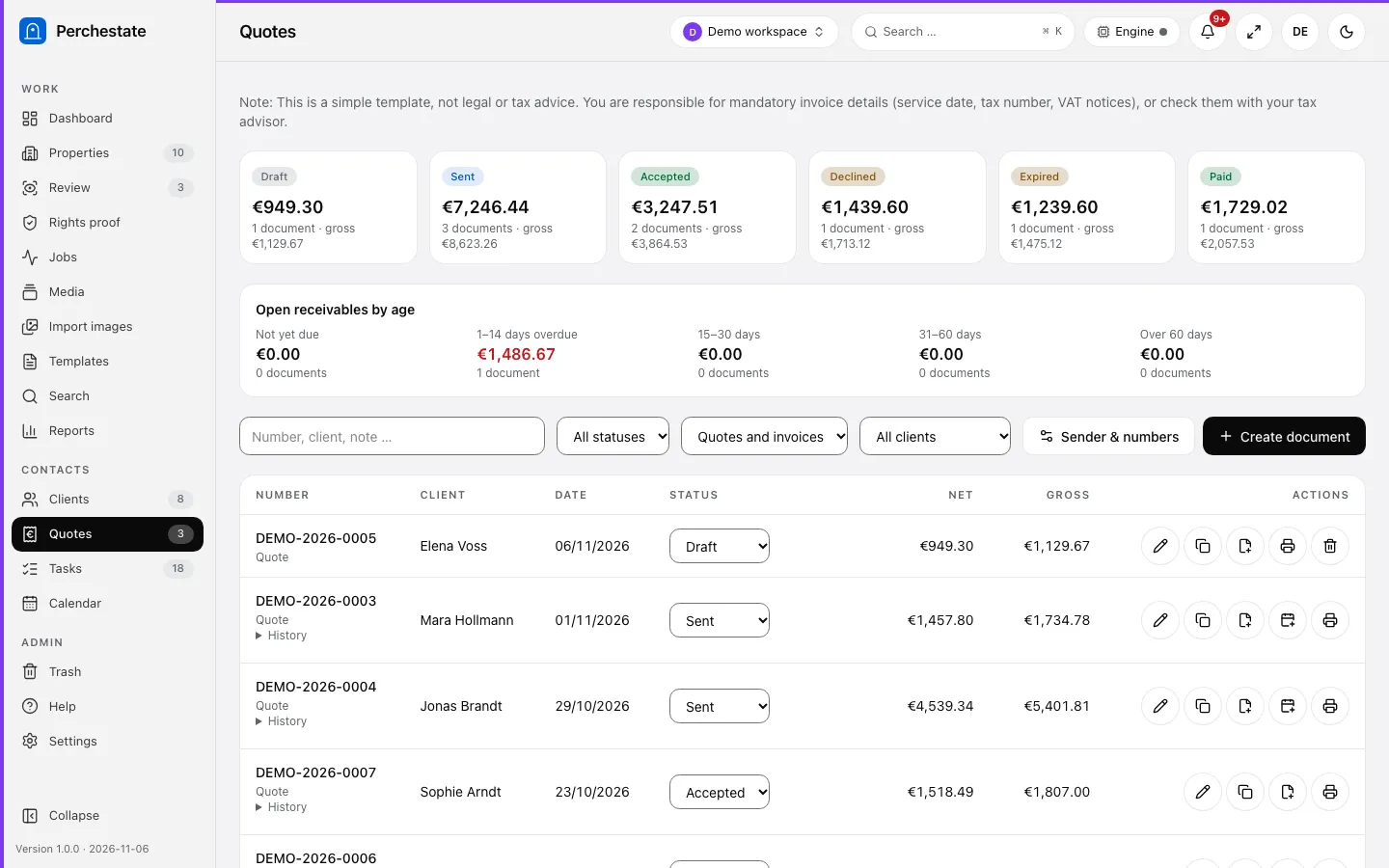
Line items with unit and discount, currency and print language per document, a status history, and a print view.
Import
Bring in files, a folder, a brochure PDF, or exactly one listing link. Strip EXIF and GPS data and shrink images on the way in.
Built to be trusted
Your data stays in your browser
Properties, rooms, clients, and quotes are stored locally. There is no database and there are no accounts.
Rights come first
No photo is imported without a confirmation that you may use it, and a rights proof page keeps the record.
Works on a phone
Install it as an app, take room photos with the camera, and queue regeneration while you are offline.
How it works
Import the photos
Upload files, a folder, a brochure, or a listing link, and confirm the rights.
Choose what to change
Furnish a room, empty it, or place a person, and pick a style.
Review every image
Approve or reject each result before anything leaves the building.
Deliver the package
Send the client a ZIP with the gallery, before and after, and the AI label.
A closer look
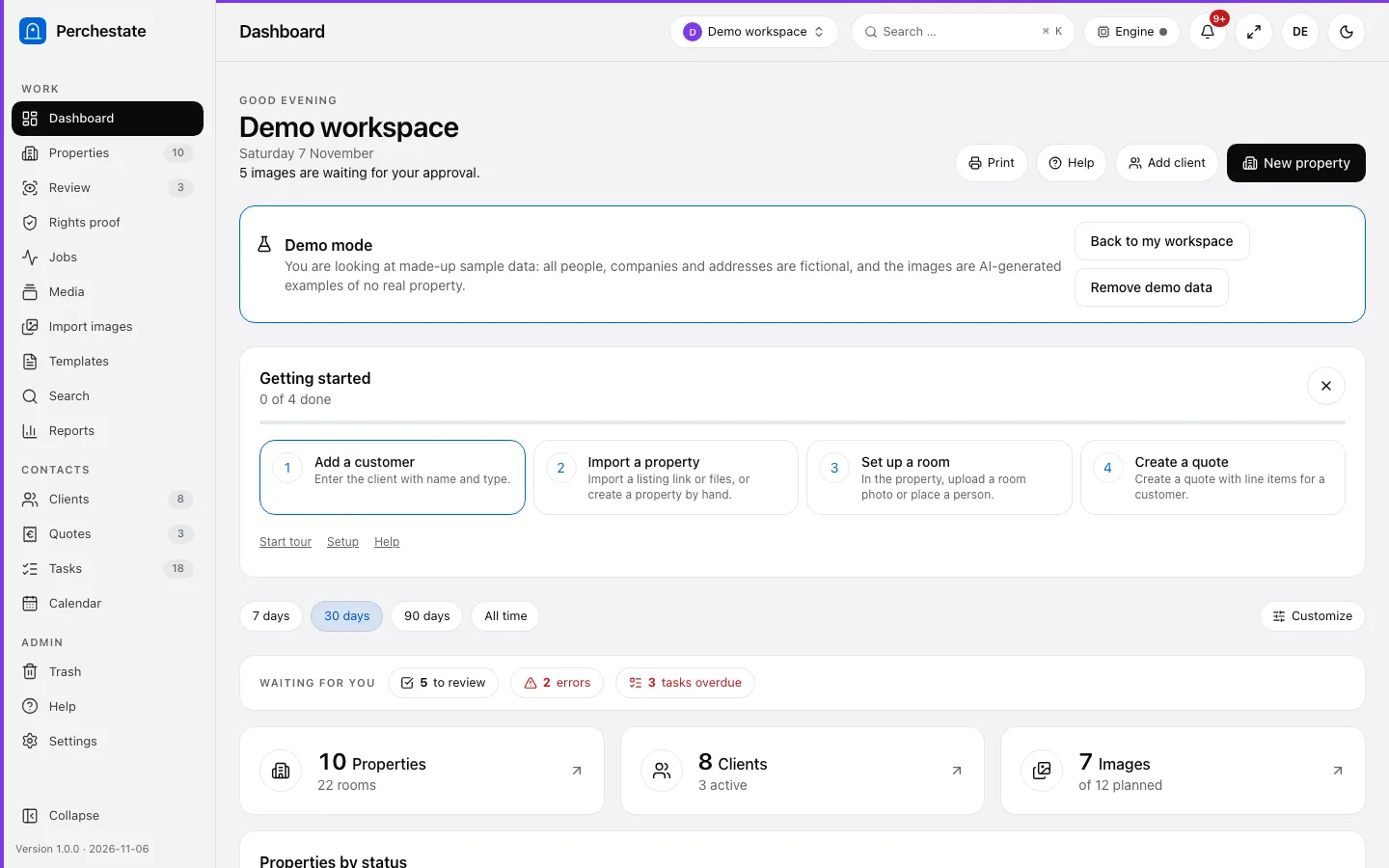
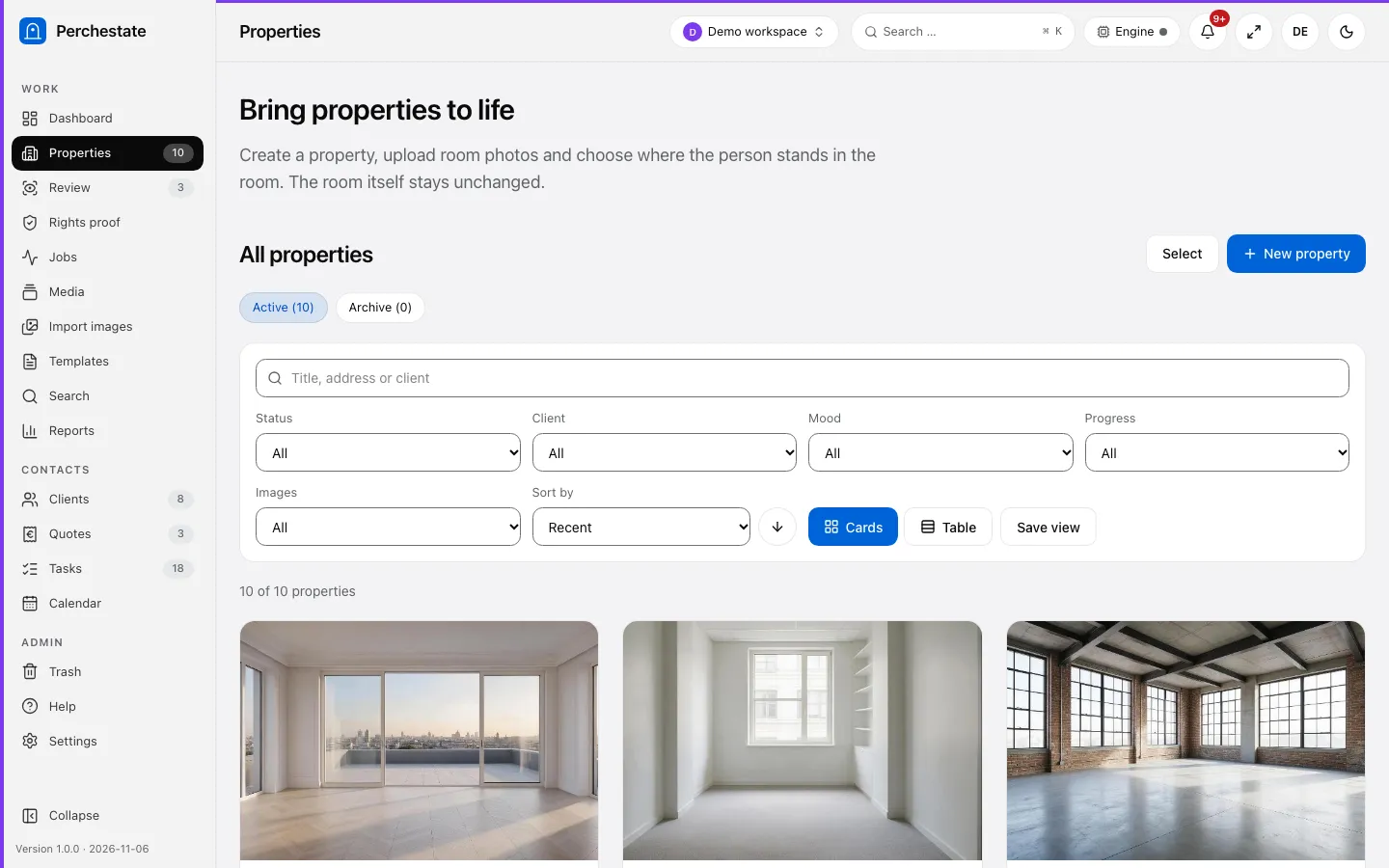
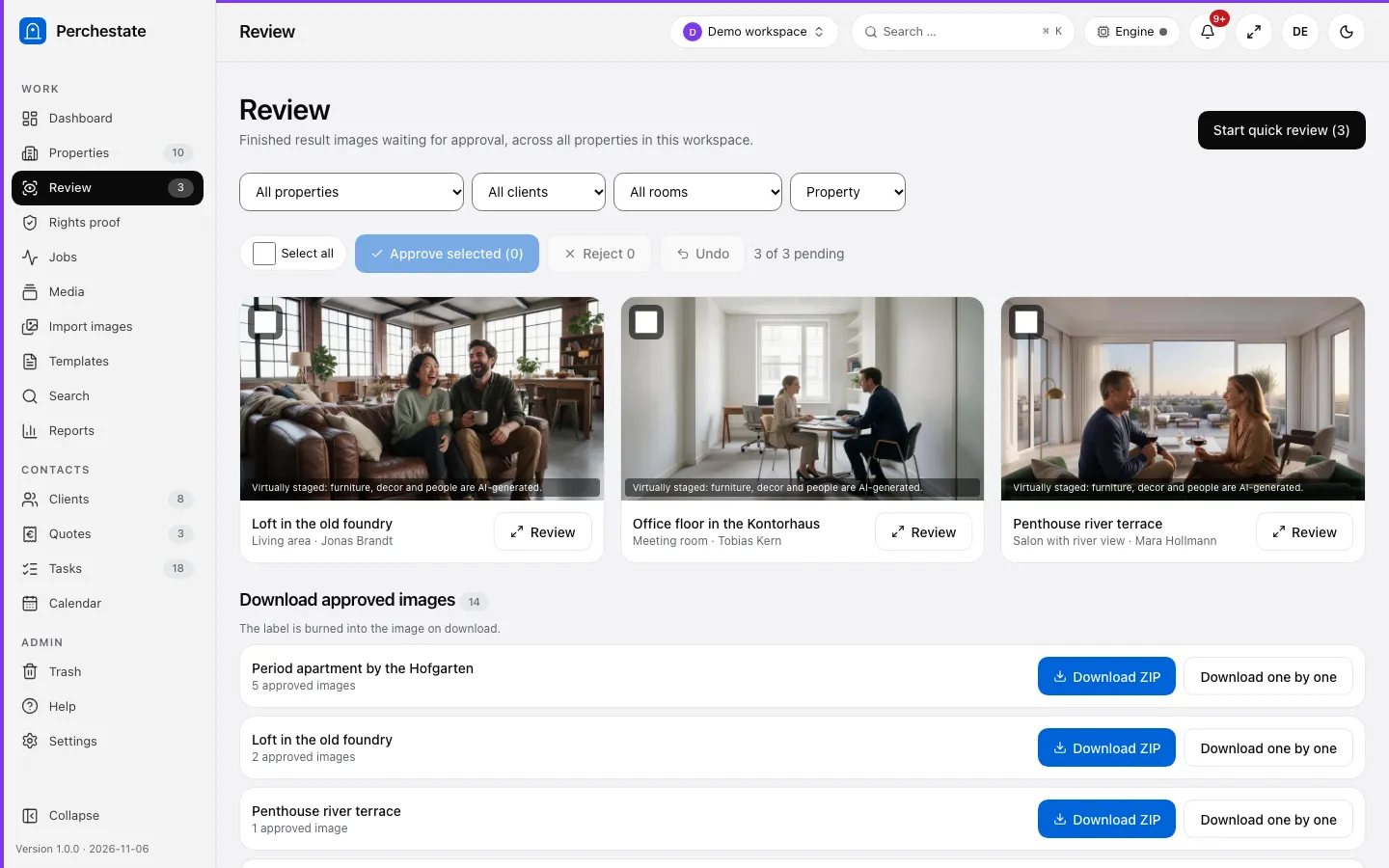
Questions about Perchestate
Does Perchestate change the room itself?
No. Furnishing adds furniture and decor, and placing a person adds a person. Everything else in the photo stays the original.
Where is my data stored?
In your browser, in local storage. There is no database and there are no accounts. A backup can be exported and imported in the settings.
Are staged images labeled?
Yes. The AI label is burned into every image of the client package, so a buyer is never shown a staged room as the real one.
Does it work offline?
The app itself does, as an installed web app. Generating images needs the connection to the engine, so those jobs wait in a queue until you are back online.
Want to see Perchestate at work?
Start on perchestate.pro, or talk to us about what it could do for your team.