

Floor 2
Private BetaTelegram Channel Autopilot
Perchcast
A Telegram channel that posts on its own — Perchcast plans every post, writes it in your persona's voice and publishes photos, reels, text posts and polls on time, around the clock and with no approval needed, for every channel your agency runs
Who it's for: For creator agencies that run Telegram channels for their personas — one channel or many.
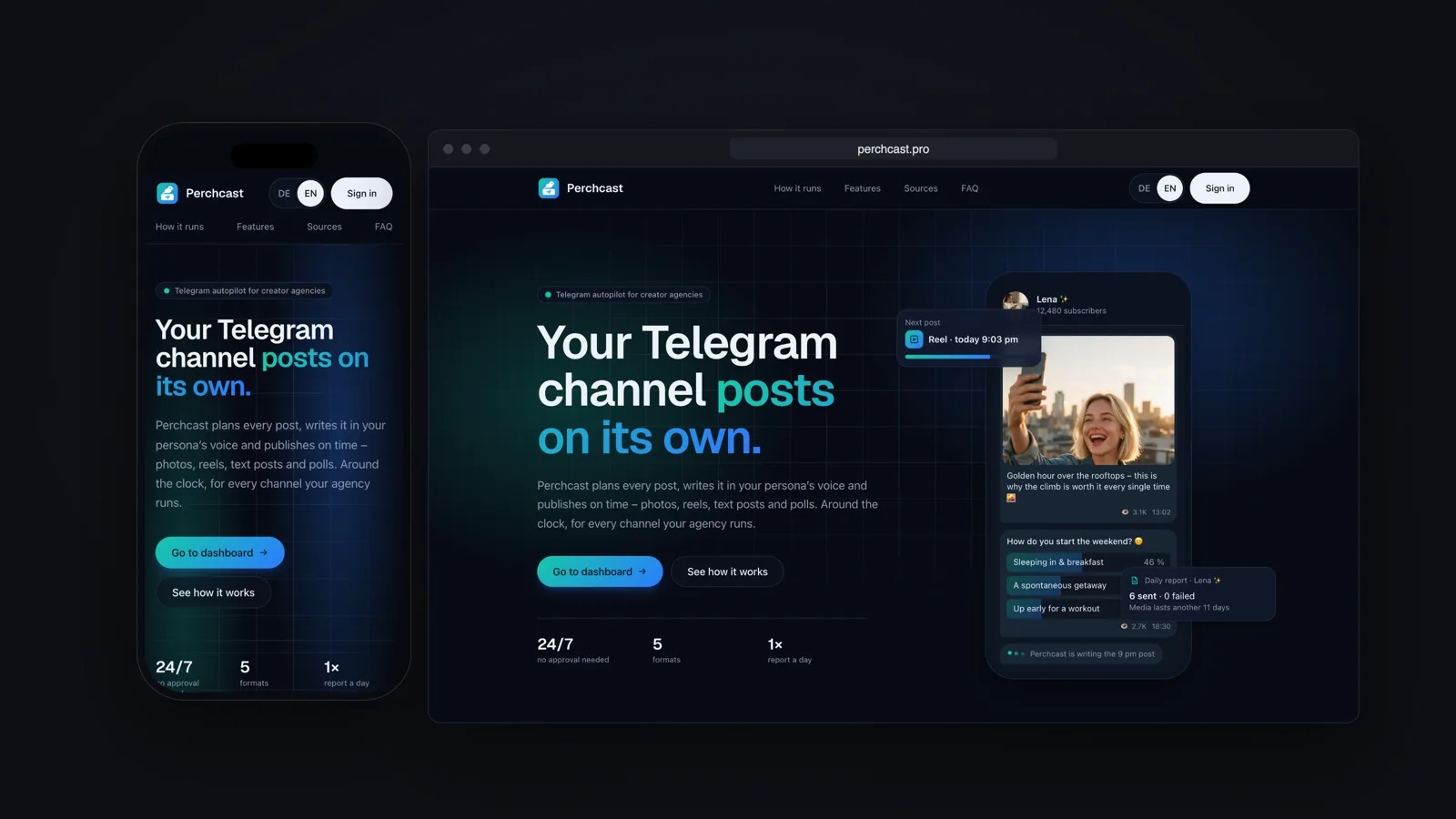
- planned ahead, every slot filled
- 48 h
- formats: photo, video, album, text and poll
- 5
- publishing, on time
- 24/7
- report a day, in Telegram
- 1
What Perchcast does
Planning and publishing
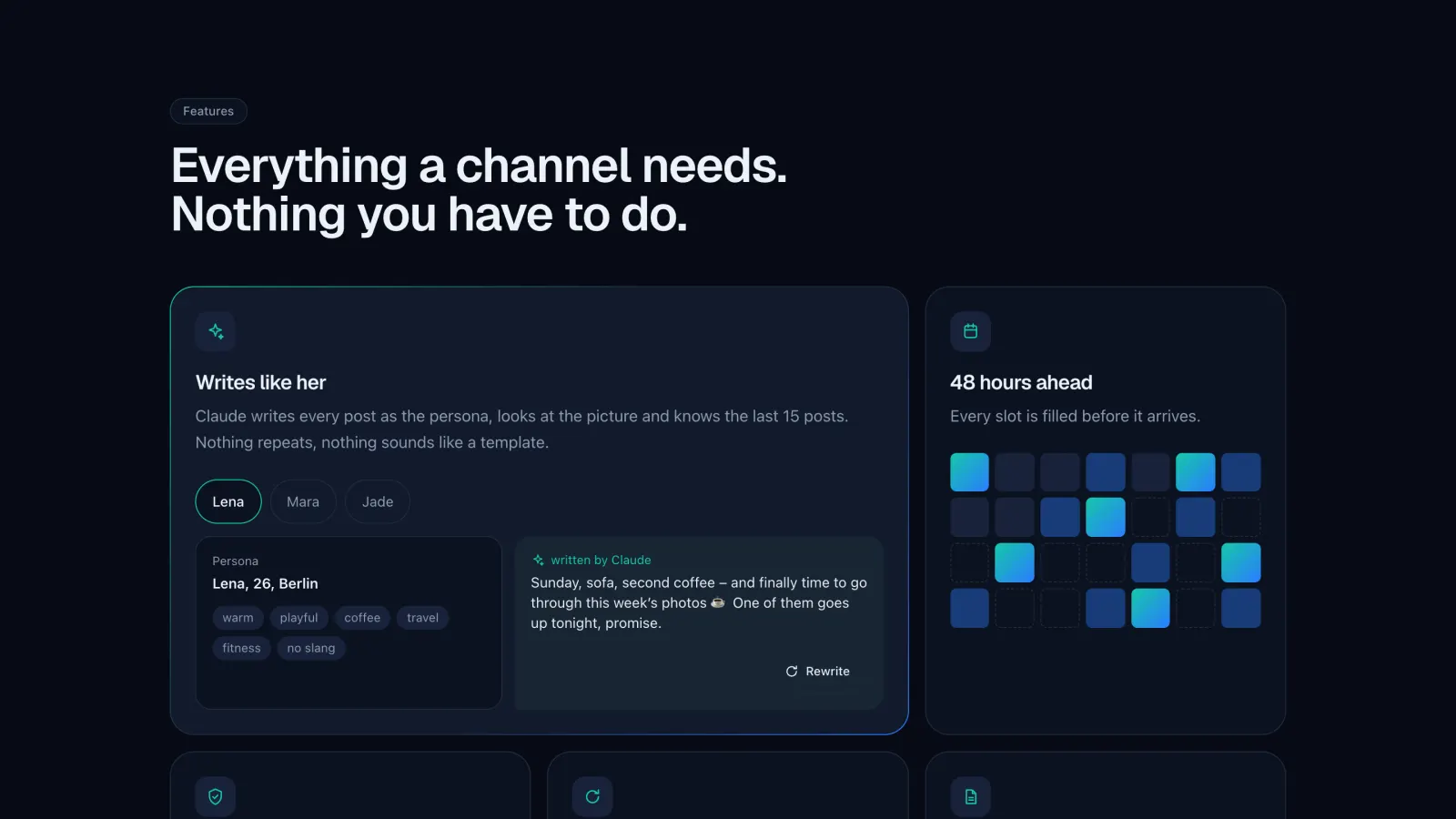
48 hours ahead
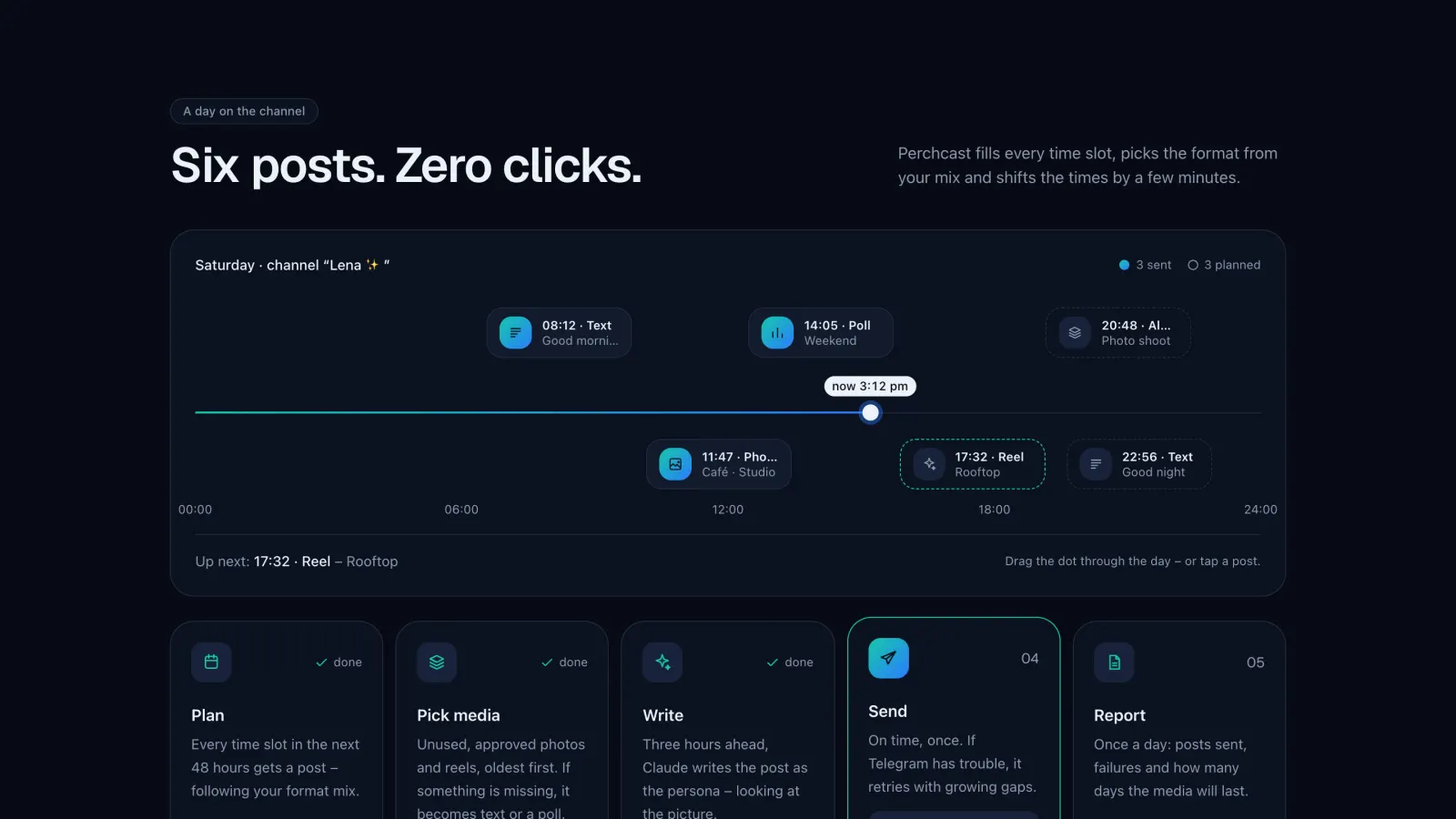
Every posting time in the next 48 hours gets a post, shifted by a few minutes so it never looks automated, with separate times for weekends.
A mix that never runs dry
Set the mix of photo, video, album, text and poll — when media runs low, the channel switches to text and polls instead of going quiet.
Never twice, always on time
Each post is reserved for one run before it is sent, retried when Telegram has trouble, and skipped rather than sent hours late.
The persona's voice
Writes like her
Claude writes each post as the persona shortly before it goes out — it looks at the picture and knows the last 15 posts, so nothing repeats.
Memory and limits
The persona remembers what she has told followers, and each channel can ban words, add a signature and set hashtags and length.
Themes and series
Pause days, give days a theme, run a countdown or book a weekly series — and add your own posts whenever you want.
Growth and team
Daily report
Once a day each channel reports what was sent, what failed and how many days of media are left — failures arrive right away.
Engagement on its own
Answers questions in the comments, follows up on posts that take off, pins the week's best post and welcomes new members.
Roles, approval and client links
Owners and managers each see their own channels, approval is optional per channel, and a share link shows clients their reach without a login.
How it works
Create the channel
Telegram bots cannot create channels, so you create it in Telegram yourself.
Describe the persona
Name, style, topics, tone and limits — or a few keywords and Claude drafts it, or a persona from Perch Studio.
Add the bot
Make the bot an admin, and Perchcast checks its rights and sets the title, description and picture.
Switch it on
From then on it plans 48 hours ahead, writes each post shortly before it goes out and reports once a day.
A closer look
Questions about Perchcast
Do I have to approve every post?
No. Approval is optional per channel, and you can always rewrite, edit or skip a post.
Where does the media come from?
From Perch Studio's approved images, Perchreel's finished reels, photos and videos sent to the bot, the API, or links.
What happens when media runs out?
The channel switches to text and polls, and the daily report says how many days of media are left.
How many channels can I run?
As many as you have personas — each with its own persona, times, time zone, language and mix.
Ready to see Perchcast at work?
Access is by invitation for now. Tell us about your team, and we will come back to you personally.
Back at the lift
Where to next?
The doors are open. Every floor of the tower is one press away, and the lobby at the bottom.